

How to Play Audio Through Multiple Devices on Windows 11
Want to play the same audio through multiple speakers or headphones on Windows 11? Here are your options, from built-in settings to dedicated software.
The Short Answer
Most Windows 11 configurations do not have a general-purpose "play audio everywhere" control for every type of playback device. To play the same audio through multiple output devices simultaneously, you need either Stereo Mix (hardware-dependent), a virtual audio cable setup, or dedicated multi-device audio software like Soundoper.
Windows 11 Shared Audio: When It Applies
Microsoft has introduced Shared audio for two compatible Bluetooth LE Audio accessories on selected Windows 11 PCs and builds. It is not a general replacement for mixed Bluetooth, USB, wired, and HDMI output routing. Availability depends on your Windows build, PC audio hardware, drivers, and accessories. On supported devices, check Quick Settings for a Shared audio control. See Microsoft's Shared audio preview announcement for eligibility and limitations.
The Problem
You have multiple audio output devices connected to your Windows PC: headphones, Bluetooth speakers, USB speakers, maybe a monitor with built-in audio. You want the same music, movie, or call playing through more than one of them at the same time.
But Windows treats audio output as singular. You pick a default playback device, and that's where all your system audio goes. There's no built-in option to say "send this to headphones AND speakers simultaneously."
Your Options
Option 1: Stereo Mix (Built-in, Limited)
Stereo Mix is a Windows recording feature that captures your system's audio output. Combined with an audio repeater, you can route it to a second device.
How it works:
- Right-click the speaker icon → Sound settings → More sound settings
- Go to the Recording tab
- Enable Stereo Mix (if available)
- Use an audio repeater application to send the Stereo Mix stream to your second output device
Limitations:
- Not all audio drivers expose Stereo Mix: many Realtek and some other drivers don't support it
- Adds latency between the original output and the repeated output
- Requires a separate audio repeater application
- Can't independently control volume on the second device
- Doesn't scale well beyond two devices
Option 2: VoiceMeeter (Free, Complex)
VoiceMeeter is a virtual audio mixer that can route audio to multiple physical outputs.
How it works:
- Install VoiceMeeter (free)
- Set VoiceMeeter as your default Windows audio device
- Configure VoiceMeeter to output to multiple physical devices
Limitations:
- Steep learning curve: the interface is designed for audio professionals
- Overkill if you just want to duplicate audio to multiple outputs
- Adds complexity to your audio setup
- Can introduce audio artifacts if not configured correctly
Option 3: Virtual Audio Cable
Software like VB-Audio Virtual Cable creates virtual audio devices that can be routed to physical outputs.
Limitations:
- Requires technical knowledge to set up
- Multiple applications needed for a full routing chain
- Not a "set it and forget it" solution
Option 4: Hardware Audio Splitter
A physical 3.5mm splitter cable can send one audio output to two wired headphones or speakers.
Limitations:
- Only works with wired 3.5mm connections
- Can't use with Bluetooth devices
- Physical cable management
- No independent volume control per output
- Limited to the number of ports on the splitter
Option 5: Soundoper (Dedicated Software)
Soundoper is a Windows desktop application designed specifically for playing audio through multiple devices simultaneously.
How it works:
- Connect your audio devices to Windows
- Open Soundoper
- Select the devices you want to use
- Play your audio: Soundoper sends it to every selected output
Advantages:
- Simple interface designed for this specific task
- Per-device volume control
- Works with supported Windows playback outputs including wired, USB, HDMI/DisplayPort, and Bluetooth
- Up to two selected Bluetooth outputs; non-Bluetooth outputs are outside that cap
- System tray access for quick device changes
Which Option Should You Choose?
| Scenario | Best Option |
|---|---|
| Quick test, two devices | Stereo Mix + repeater (if available) |
| Daily use, multiple devices | Soundoper |
| Advanced audio routing needs | VoiceMeeter |
| Wired headphones only, simple setup | Hardware splitter |
| Bluetooth + wired combination | Soundoper |
Practical Setup Check
Check Settings → System → Sound to confirm every desired device appears. Test each output separately before starting one multi-output session.
Soundoper Interface
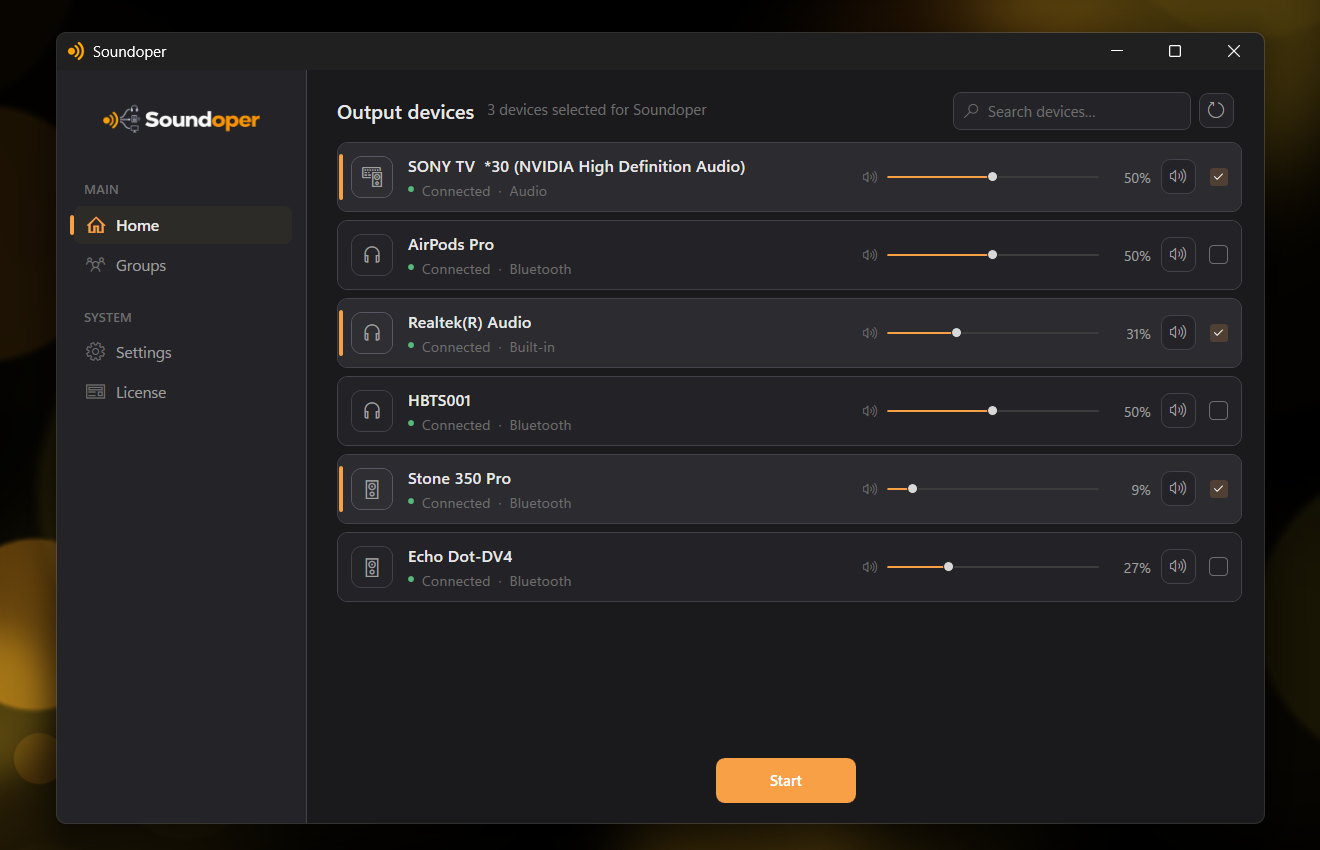
Illustrative screenshot from the actual Soundoper application. Connected devices and interface settings may vary.
Conclusion
Playing audio through multiple devices on Windows 11 is possible but not natively straightforward. Stereo Mix works if your hardware supports it, VoiceMeeter offers power at the cost of complexity, and dedicated software like Soundoper provides the simplest path for everyday multi-device audio.
Try Soundoper free for 7 days: select at least two compatible outputs and test your setup.